Actionable Items
Actionable Items is your personal task queue. Any time something requires your attention — such as an employee submitting their KPI self-assessment or a probation review being assigned to you — it appears here automatically.
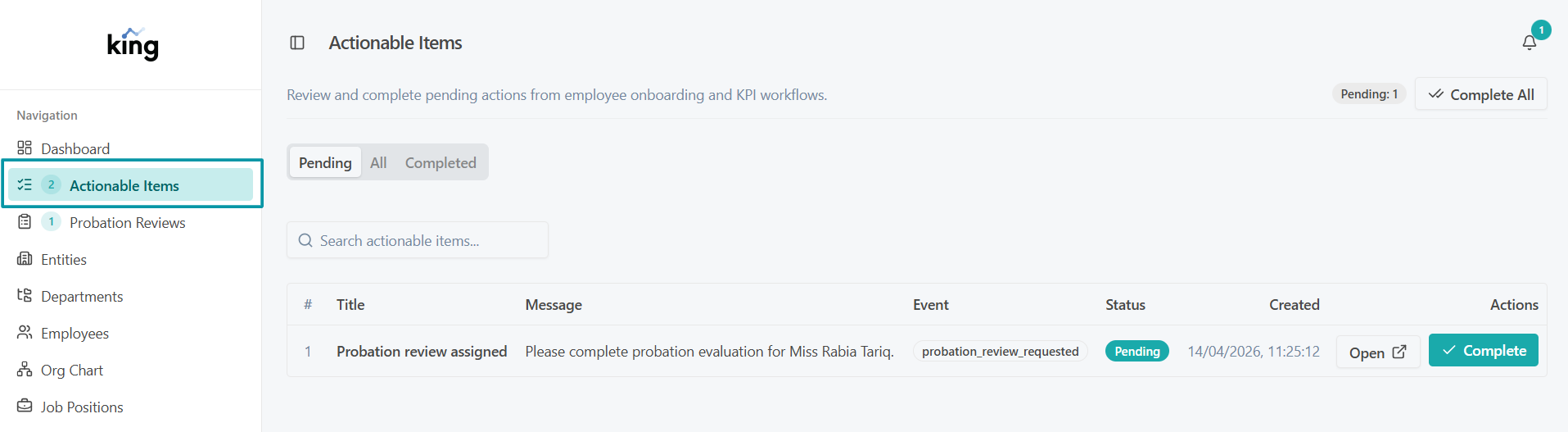
Actionable Items queue
How to Open Your Actionable Items
- Sign in to the system.
- In the left sidebar, click Actionable Items.
- A number badge next to the menu item shows how many tasks are waiting.
What Appears Here
As a Manager or HOD, you will see the following types of tasks:
| Task Type | When It Appears |
|---|---|
| KPI Review Pending | An employee you are assigned to review has submitted their self-assessment |
| Probation Review Assigned | HR has triggered a probation review for one of your direct reports |
Each row in the list shows:
- The type of task
- The employee's name
- The current status
- When it was created or last updated
Click any row to go directly to that task.
Tips
- Check your Actionable Items at the start of each working day.
- Completing items promptly keeps the KPI and probation workflows moving for the whole team.
- Once you complete a task (submit a review, score an evaluation), it disappears from the queue automatically.